How to create a sales website that converts
Learn how to build a sales website, choose products, structure the checkout, promote your store, and plan costs clearly.

Listen to the article
Creating a sales website involves more than just publishing products. You need to choose an offer, organize the shopping experience, receive payments, and attract qualified visitors.
Quick response
To create a sales website, define what to sell and to whom, choose an appropriate platform, register a professional domain, organize a clear catalog, and set up payment, delivery, and customer service. Then, promote the store with content, social media, and SEO, tracking visits, carts, and orders to improve decision-making. The central point is to build a simple journey: the person finds the offer, understands the benefit, trusts the business, and can complete the purchase without obstacles.
Summary
- Start with the offer and the audience, not the store's appearance.
- Choose a platform that combines catalog, checkout, payments, logistics, and integrations.
- Use clear descriptions, consistent photos, social proof, and comfortable mobile navigation.
- Promote with content, social media, and SEO, always measuring what drives sales.
- Separate fixed operational costs from variable marketing investments.

What is a sales website?
A sales website is a dedicated address on the internet where a company presents offers, guides customer decisions, and allows for requesting or completing a purchase. It can sell physical products, digital items, services, reservations, or custom orders.
The difference from an institutional page lies in the journey's objective. An institutional site explains who the company is and how to contact it. In contrast, the sales website guides the visitor towards a commercial action, such as adding a product to the cart, requesting a quote, or paying for a service.
This structure combines a showcase, commercial information, customer service, payment methods, and, when necessary, logistics. Therefore, it's not enough to have beautiful photos. The visitor needs to know what is being offered, how much it costs, how to receive it, what conditions apply, and how to get help.
For small businesses, the website also serves as a meeting point between promotion and operation. A restaurant can present its menu and delivery options, while a service provider can explain packages, service areas, and scheduling methods. The architecture may change, but the logic remains the same: transforming interest into a clear next action.

Why have a sales website?
Having a sales website helps transform digital presence into a dedicated channel for relationship building and sales. It centralizes information, reduces repeated questions, and offers an experience that the company can organize according to its process.
The first advantage is control. Instead of relying solely on social media posts or scattered conversations, the business has a central page with a catalog, prices, conditions, and contacts. This makes updates easier and gives the customer a reliable place to consult before making a purchase.
There is also a gain in clarity in communication. A well-written description can explain materials, measurements, preparation time, usage instructions, and differences between options. In the case of services, the same page can clarify scope, steps, and what the customer needs to provide to receive service.
The website also creates a foundation for search and content actions. When the pages answer real questions from the audience, they can attract people who are not yet familiar with the company. NaInter.net understands that this presence should be useful, accessible, and connected to customer service, especially for small businesses that need to make the most of every contact opportunity.
Another benefit is the continuity of the journey. The customer can discover the company through social media, consult the website, ask a question, and proceed to purchase. This sequence becomes simpler when menus, buttons, and information do not compete with each other.

How to choose what to sell?
Choose what to sell by crossing three elements: a concrete market need, an offer you can deliver well, and an audience willing to pay. The best opportunity is not necessarily the most popular, but the one where your business can be relevant and consistent.
Identifying market niches
Start by observing specific problems, consumption habits, and situations where people are already seeking solutions. A niche can arise from region, profession, lifestyle, need range, or purchase occasion. The clearer the context, the easier it becomes to write a comprehensible offer.
Talk to current customers, read questions received in customer service, and examine unfulfilled requests. These conversations reveal language, objections, and priorities that do not appear in a superficial survey. Look for patterns: what people are trying to solve, why they hesitate, and what they consider a good outcome.
Next, evaluate operational capacity. A product may seem interesting but require storage, customization, or support that the business is not yet able to maintain. To start, prefer an offer that can be described, priced, and delivered with predictability.
Analyzing the competition
Competitive analysis is not about copying layouts or lowering prices without calculation. It helps to understand how the market presents benefits, which questions remain unanswered, and where there is room for a better experience. Observe categories, language, photos, policies, customer service channels, and ease of purchase.
Read reviews and public comments carefully. Recurring complaints may indicate an opportunity for differentiation, such as better explaining the composition, facilitating exchanges, showcasing the process, or responding more quickly. The advantage may lie in specialization, service, or trust, not just price.
Create an internal comparison with objective criteria: perceived quality, variety, convenience, response time, clarity of information, and after-sales service. The purpose is to decide how your offer will be recognized, without promising something that the operation cannot fulfill.
Defining your target audience
Describe the audience as a person in a buying situation, not just as an age or a city. Ask what they want to solve, what prevents them from buying, where they research, and what signals increase their confidence.
This definition guides the website's vocabulary, images, communication channels, and the level of explanation needed. An audience that buys out of urgency needs to find availability and service quickly. In contrast, a more complex purchase requires comparison, technical details, and proof of experience.
Record an initial hypothesis and validate it with browsing data, orders, and conversations. The audience does not need to remain static. As the store learns which offers attract qualified visits and which generate conversions, communication can be refined.
- List problems that your business can solve.
- Talk to customers and gather recurring questions.
- Compare competing offers using objective criteria.
- Describe the audience by the buying situation.
- Choose an initial offer that your operation can deliver.
Have a professional website working for you 24/7
Let the Artificial Intelligence of NaInter.net create the perfect showcase for your business to attract customers every day.

What platforms to use to create a sales website?
The right platform is one that allows you to publish the catalog, receive orders or payments, manage operations, and connect the channels that your audience already uses. The choice should consider the stage of the business and not just the appearance of the editor.
Free vs paid platforms
A free option can help test an idea with low financial commitment but often requires attention to limits on customization, support, domain, integrations, and sales features. The apparent cost may also appear in fees, setup time, or the need to hire complementary services.
A paid platform tends to gather more resources and support in an integrated operation. Still, paying does not resolve a confusing offer nor replace the setup of the catalog, service, and logistics. Compare the total cost, ease of exporting data, security, availability of support, and the possibility of growing without rebuilding everything.
To decide, write out the complete flow of your business before choosing. Include product registration, inventory, delivery calculation, payment, issuing information to the customer, service, and analysis of results. The best option is the one that covers the actual flow with the least improvisation.
Criteria for choosing a platform
Instead of choosing by popularity, look for a website or e-commerce creation platform that offers a professional domain, mobile-friendly editor, catalog, checkout, payment methods, order management, and integrations. For services, check if it allows forms, scheduling, quotes, and contact capture.
Sebrae/SC recommends starting by defining the website's objectives, registering a professional domain, and choosing an e-commerce platform. This order prevents the tool from determining the business model on its own.
NaInter.net works with professional websites that can gather business information, promote services, display menus, link to social media, and provide customer service with artificial intelligence. For a small business, this type of integration can be useful when the priority is to concentrate presence, information, and contact in a simple experience.
Essential integrations and functionalities
Check if the platform integrates with payment, delivery, inventory, customer service, traffic analysis, and marketing channels. Sebrae Minas recommends including in the planning the platform, payment methods, logistics, abandoned cart management, and integration with marketplaces.
Google Merchant Center allows you to add a checkout link to the product in the business information settings. This feature reinforces the importance of keeping the path between discovery and purchase well-defined, with correct landing pages and coherent information.
Also check for security features, data consent, access recovery, email redirection, and customer service. A good integration is one that reduces rework and preserves the quality of the experience, not just one that adds many icons to the dashboard.
- Define the sales and customer service flow of the business.
- List essential integrations for catalog, payment, and delivery.
- Compare plans by total cost and operational limits.
- Test navigation on mobile and the path to checkout.
- Choose the platform and register the professional domain.
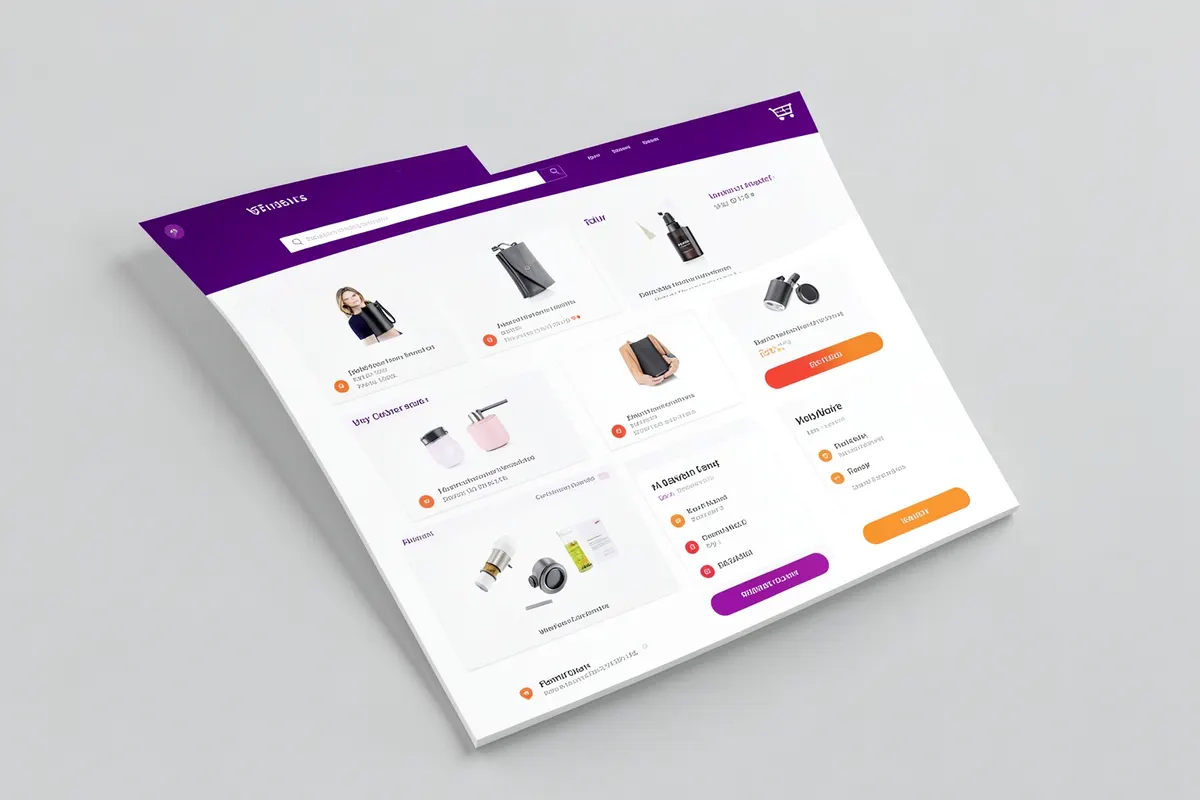
How to structure your sales website?
Structure the website so that visitors understand the offer, find the right product, trust the company, and complete the purchase with minimal friction. The organization should reflect the customer's questions, not the internal structure of the business.
Design and usability
The design needs to favor readability, contrast, hierarchy, and action. Visitors should identify what the company sells, who the offer is for, and what the next step is without searching too much. Use specific headings, descriptive buttons, and images that show the product in context.
Sebrae/SC emphasizes that a sales website needs to be mobile-friendly. In practice, this means testing menus, fields, buttons, images, and text on smaller screens, as well as avoiding elements that hinder scrolling or filling out forms.
Include an About page, contact information, and trust signals. Sebrae/SC advises using clear descriptions of products or services and customer testimonials to provide more context and credibility. Only publish authorized testimonials that align with the actual experience.
Organization of the product catalog
Group items by need, type, use, or characteristics that make sense to the buyer. Excessively broad categories hide the offer, while overly fragmented categories force the person to open too many pages.
Each product page should answer essential questions: what it is, who it is for, what its differentiators are, what is included, how to use it, how much it costs, and how to receive it. For physical products, add measurements, materials, variations, and care instructions. For services, explain the scope, steps, limitations, and how to hire.
Maintain consistent names, clear photos, and updated information. If there are variations, make it clear what changes between them. A reliable catalog reduces clarification messages and prevents the customer from abandoning the journey due to insecurity.
Checkout and payment system
The checkout should only ask for what is necessary to complete the order and provide the service. Explain delivery costs, payment methods, confirmation, and next steps before finalization. Confusing fields or surprises at the end compromise the trust built on previous pages.
Offer payment methods suitable for the audience and confirm the order with a clear message. For services, the flow can start with a briefing form and proceed to a quote, while products with a set price can go directly to payment.
Conduct test purchases, check error messages, and verify that the order arrives correctly at the dashboard or customer service channel. Also plan for handling abandoned carts, as Sebrae Minas includes this point among the elements of e-commerce planning.
- Choose a simple and readable visual hierarchy.
- Create categories aligned with the audience's questions.
- Register products with clear photos, benefits, and conditions.
- Set up payments, delivery, and confirmation messages.
- Test the checkout on different screens before launching.

How to promote your sales website?
Promote the site by combining discovery channels with content that answers the audience's questions. The goal is not just to generate visits, but to attract compatible individuals with the offer and lead them to a measurable action.
Digital marketing strategies
Start with a central message: what problem does the offer solve and why should the customer consider your company? From there, create educational content, demonstrations, usage comparisons, behind-the-scenes insights, and responses to objections. Each piece of content should point to a relevant page, not just the homepage in all cases.
Sebrae/SC informs that creating a sales website involves promoting the site with digital marketing strategies. This includes planning channels, calendars, messages, and ways to track the return.
Use paid campaigns only after checking the landing page. Targeting does not fix poorly explained prices, bad photos, or a broken checkout. Start with a hypothesis, monitor actions, and adjust the budget according to the quality of contacts and orders.
Use of social media
Social media helps showcase the product in use, present the team, and create conversations. Publish content that helps the audience decide, such as demonstrations, care tips, FAQs, and explanations about the purchasing process.
Keep the link to the site visible and use specific calls to action. Instead of a generic message, invite the person to view a category, consult a service, or check the details of an offer. Respond to comments and messages consistently, but direct stable information to the website.
Integration with customer service can shorten the path to answers. NaInter.net, for example, offers chat capture and direct WhatsApp messaging to the company on its smart websites. The important thing is to make it clear when the conversation leaves the site and how the customer will receive a response.
SEO for e-commerce
SEO starts with search intent. Use terms that the audience actually employs in titles, descriptions, categories, and content, always maintaining a natural language. A page for each relevant need is usually more useful than a generic page trying to answer everything.
Sebrae/SC recommends defining the target audience, optimizing the website, and investing in SEO when structuring the digital positioning of small businesses. In practice, this involves fast pages, logical navigation, original content, contact data, and complete product information.
Review titles, descriptions, page addresses, images, and internal links. Avoid copying descriptions from suppliers and do not hide important conditions. Sustainable SEO is born when the page delivers a better answer for those who arrive at it.
- Define the central message of the offer.
- Create content for the audience's questions and objections.
- Connect each publication to a relevant page.
- Optimize categories, products, and content for search.
- Monitor visits, contacts, carts, and orders to adjust the strategy.

What are the costs involved?
The costs of a sales website can be divided between the operation's structure and customer acquisition. The actual value depends on the sales model, the number of products, integrations, and the level of promotion required.
Platform costs
Consider domain, platform plan, hosting when not included, payment fees, additional features, maintenance, and any setup services. Also add operational costs, such as packaging, logistics, customer service, and production of photos or videos.
An inexpensive solution at the start can become costly if it requires a lot of manual work or prevents essential integrations. On the other hand, a sophisticated structure before validating the offer can consume cash without generating learning. Compare the monthly cost with the time saved and the volume of operations you intend to manage.
Sebrae/SC states that advertising on a marketplace can be free and that payment occurs when the sale is completed. Even in this model, read the rules, assess the dependency on the channel, and keep information organized on your own site whenever possible.
Marketing investments
Marketing can involve content production, photography, video, ads, influencers, analytics tools, and team time. It is not necessary to fund all channels at once. Choose those that match the audience's behavior and start with an action that can be evaluated.
Separate testing investment from recurring budget. In the test, observe if the right people arrive, understand the offer, and proceed. If there are visits without interaction, review the message and the page. If there are carts without orders, investigate payment, delivery, trust, and clarity of the conditions.
Allocate part of the budget to improve assets that continue to work, such as product pages, search content, customer service automations, and presentation materials. The best planning balances immediate acquisition with building a presence that attracts demand over time.
- List fixed, variable, and operational costs.
- Calculate the fees associated with each sales method.
- Set an initial testing budget for promotion.
- Choose indicators to evaluate visits and orders.
- Review expenses and reallocate resources to what works.
- Validate an idea with controlled investment → Start with a lean catalog, professional domain, and a platform that covers the essential flow of service and sales.
- Selling physical products → Prioritize inventory, variations, delivery calculation, payment, confirmation, and cart recovery.
- Selling services → Create pages that explain scope, benefits, and process, with a quote or scheduling form.
- Attracting customers through search → Organize categories and content by intent, optimize pages, and answer questions using the audience's language.
- Receiving many inquiries before purchase → Connect customer service to the site, publish frequently asked questions, and direct conversations to a channel monitored by the team.
Continue reading

How to prioritize your online presence with an effective website

The importance of having a responsive website to boost your sales.